You use WeChat every day. Your customers use WeChat every day. But when it comes to running your business—tracking leads, managing client communications, coordinating your team—WeChat starts to show its limits. Messages get buried. Client data is scattered. And that promising lead from three weeks ago? Lost in the chat history.
Enter WeCom (企业微信) —the enterprise version of WeChat that most businesses overlook.
WeCom isn’t just “WeChat for work.” It’s a powerful business operations platform that integrates seamlessly with the WeChat ecosystem. It gives you the professional tools you need while keeping the connectivity your customers expect. This guide explains what WeCom is, how it differs from regular WeChat, and how Shanghai SMEs can use it to streamline operations, manage customer relationships, and grow systematically.
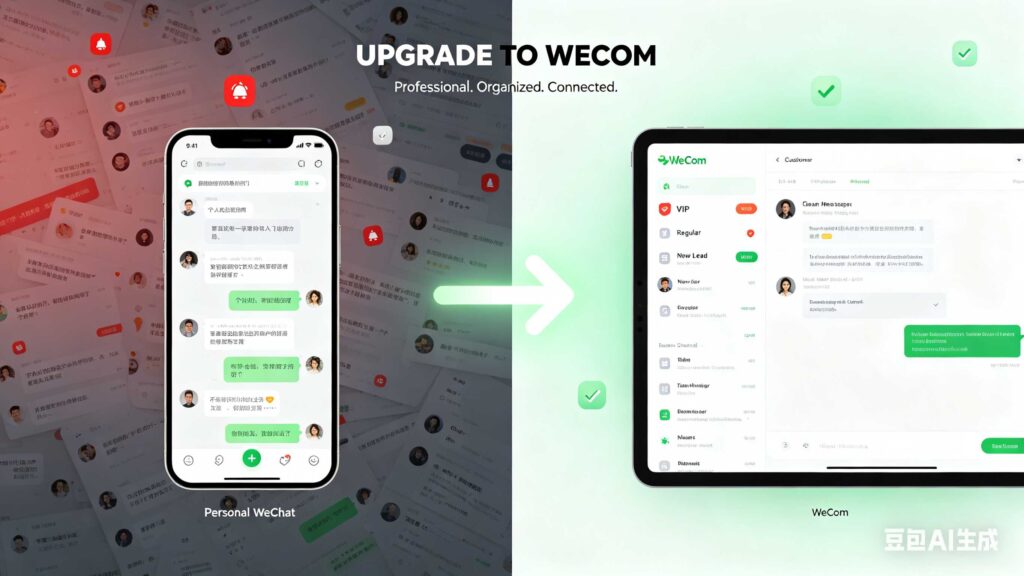
Part 1: What Is WeCom? (And How It’s Different from WeChat)
WeCom (企业微信) launched in 2016 as Tencent‘s answer to workplace collaboration tools. But unlike Slack, Teams, or DingTalk, WeCom has a superpower: deep integration with WeChat.
Here’s the key difference:
| Feature | WeChat (Personal) | WeCom (Business) |
|---|---|---|
| Primary Use | Personal messaging, social networking, payments | Team collaboration, client management, CRM |
| External Contacts | Limited to 5,000 friends; chats are informal | Unlimited customers; professional communication |
| Data Ownership | Tencent owns the data | You own your customer data (exportable, manageable) |
| Admin Controls | None | Full team management, permissions, audit logs |
| Automation | Limited (basic bots only) | API access, workflow automation, third-party integrations |
| Marketing Tools | Official Accounts (公众号) only | Customer tagging, group messaging, broadcast tools |
| Cost | Free | Free for basic; paid plans for advanced features (¥1,000/user/year) |
The most important advantage: WeCom allows your employees to add customers as external contacts without being “friends” on personal WeChat. When an employee leaves, their customer connections can be transferred to another team member—no lost relationships, no starting over.
Part 2: Why Shanghai SMEs Need WeCom
Still using personal WeChat for business? Here’s what you’re missing:
1. Professional Customer Management
Personal WeChat treats everyone the same: friends, family, and customers. WeCom gives you tools specifically for customer relationships:
- Customer Tags: Label contacts by interest, status, source, or value
- Customer Profiles: See interaction history, notes, and custom fields
- Broadcast Messages: Send updates to thousands of customers at once (with analytics)
- Quick Replies: Save and reuse answers to common questions
2. Team Collaboration That Works
WeCom includes all the collaboration features you’d expect:
- Group Chats with up to 2,000 members (vs. 500 on personal WeChat)
- Video Conferencing with up to 300 participants and screen sharing
- Cloud Documents with real-time collaboration (similar to Feishu/Google Docs)
- Calendar & Scheduling with meeting rooms and resource booking
- Task Assignment with deadlines and status tracking
3. Customer Data Ownership
This is critical. On personal WeChat, when an employee leaves, their customer chats go with them. On WeCom, customer connections belong to the company. You can:
- Transfer customer relationships between employees
- Export customer data (with consent)
- Back up conversation history
- Audit employee interactions with customers
4. Seamless WeChat Integration
Your customers don’t need to download a new app. They can communicate with your WeCom team using their regular WeChat app. The experience is seamless for them, professional for you.
5. API & Automation
For growing SMEs, WeCom’s API access enables powerful automations:
- Sync customer data between WeCom and your CRM
- Automatically tag customers based on their behavior
- Send triggered messages (e.g., welcome messages, appointment reminders)
- Integrate with your website, Mini-Program, or e-commerce platform
Part 3: WeCom vs. DingTalk vs. Feishu – Which One Is Right for You?
WeCom isn’t the only player. Here’s how it compares to the other major China workplace platforms:
| Feature | WeCom (企业微信) | DingTalk (钉钉) | Feishu (飞书) |
|---|---|---|---|
| Owner | Tencent | Alibaba | ByteDance |
| Core Strength | Customer connectivity | Process management | Productivity & docs |
| Best For | Customer-facing SMEs, retail, services | Traditional enterprises, manufacturing, HR-heavy orgs | Tech startups, creative teams, document-heavy work |
| WeChat Integration | Native (customers use WeChat) | Limited | Limited |
| CRM Features | Built-in customer management | Third-party apps required | Basic (via Sheets/Base) |
| Workflow Automation | Basic | Very strong (approvals, clock-in/out) | Moderate |
| Document Collaboration | Basic | Moderate | Excellent (Feishu Docs) |
| Learning Curve | Low (WeChat users feel at home) | Medium | Medium-High |
Recommendation: For most customer-facing Shanghai SMEs (restaurants, retail, salons, agencies, consultancies), WeCom is the best choice because of its native WeChat integration. Your customers already use WeChat every day—meet them where they are.
Part 4: Getting Started with WeCom – A 5-Step Setup Guide
Step 1: Register Your WeCom Account
- Go to work.weixin.qq.com
- Register using your business license (营业执照)
- Verify your company information (takes 1-3 business days)
- Choose your plan: Free (basic) or Paid (¥1,000/user/year for advanced features)
Step 2: Set Up Your Organization
- Add employee accounts (by email, phone, or batch import)
- Create departments (e.g., Sales, Operations, Customer Service)
- Assign admin roles and permissions
- Set up your company profile (logo, name, introduction)
Step 3: Configure Customer Management
- Enable “Add as Customer” for relevant employees
- Set up customer tags (create categories relevant to your business)
- Create quick reply templates for common questions
- Configure welcome messages for new customers
Step 4: Connect with Customers
- Share your employee’s WeCom QR code with customers
- Add customers from existing WeChat contacts (with their permission)
- Migrate important conversations from personal WeChat
- Train staff on how to tag and manage customer interactions
Step 5: Explore Automation (Optional but Recommended)
- Connect WeCom to your CRM or other tools via API
- Set up automated welcome messages and follow-up reminders
- Create broadcast lists for promotions and updates
- Install useful third-party apps from the WeCom marketplace
Part 5: Practical WeCom Features Every SME Should Use
Customer Management
| Feature | How to Use |
|---|---|
| Customer Tags | Label customers by interest (“Vegetarian”), source (“WeChat Ad”), or value (“VIP”) |
| Customer Profiles | Store notes, interaction history, and custom fields (e.g., “Birthday: March 15”) |
| Broadcast Messages | Send promotions to thousands of tagged customers at once |
| Quick Replies | Save answers to FAQs (“What are your hours?” “Do you deliver?”) |
Team Collaboration
| Feature | How to Use |
|---|---|
| Group Chats | Create department or project-based groups (up to 2,000 members) |
| Video Calls | Host team meetings or client calls with up to 300 participants |
| Cloud Documents | Collaborate on proposals, reports, and checklists in real-time |
| Tasks | Assign to-do items with deadlines and track completion |
Automation & Integration
| Feature | How to Use |
|---|---|
| API Access | Sync customer data between WeCom and your CRM or database |
| Webhooks | Trigger actions in other systems based on WeCom events |
| Third-Party Apps | Install tools for expense tracking, project management, and more |
Part 6: Common Mistakes to Avoid
| Mistake | Why It Hurts | Better Approach |
|---|---|---|
| Using personal WeChat for business | No data ownership, limited features, messy chats | Migrate to WeCom for all customer communication |
| Not tagging customers | You can’t segment or target effectively | Tag every new customer at first interaction |
| Ignoring customer profiles | Missed opportunities for personalization | Use profiles to track preferences and history |
| No employee training | Features go unused; inconsistent customer experience | Train all customer-facing staff on WeCom basics |
| Not using broadcasts | Wasted marketing opportunity | Send regular, valuable updates to opted-in customers |
Part 7: Real-World Use Cases for Shanghai SMEs
Use Case 1: Restaurant
- Customers scan QR code on table to add restaurant’s WeCom account
- Restaurant sends daily specials and promotions via broadcast
- Customers place takeout orders via chat (integrated with POS)
- Loyalty program tracked via customer tags
Use Case 2: Retail Boutique
- Sales associates add customers after purchases
- Customer profiles track sizes, preferences, and past purchases
- Broadcast new arrivals and sales to relevant customer segments
- VIP customers get personalized service and early access
Use Case 3: Consultancy or Agency
- Client communication happens entirely within WeCom
- Project files shared via cloud documents
- Tasks assigned to team members with deadlines
- Client profiles track project history and key contacts
Use Case 4: Beauty Salon or Gym
- Customers book appointments via WeCom chat
- Automated reminders sent before appointments
- Customer profiles track service history and preferences
- Broadcast promotions for slow periods or new services
Conclusion: Your Business Deserves Better Than Personal WeChat
WeChat is an incredible platform—for personal communication. But using it for business is like running a company from your personal email account. It works, until it doesn’t.
WeCom gives you the professionalism, control, and features your growing business needs, while keeping the seamless connectivity your customers expect. It’s not an additional app for them—they just use WeChat. For you, it’s a transformation.
Ready to move your business from WeChat to WeCom?
At Nimbadata, we help Shanghai SMEs set up, configure, and optimize WeCom for their specific needs. From initial registration to custom API integrations and staff training, we handle the technical heavy lifting so you can focus on your customers.
Contact Nimbadata today for a free WeCom consultation. Let’s turn your WeChat presence into a business operations hub.